SubSnooze
Scheduled subwoofer control for Sonos.
SubSnooze is a small, focused app that schedules your Sonos subwoofer. Quiet hours at night, full bass in the morning — automatically, on every Sonos sub on your network. No account. No cloud. Local network only.
Checking for the latest release…
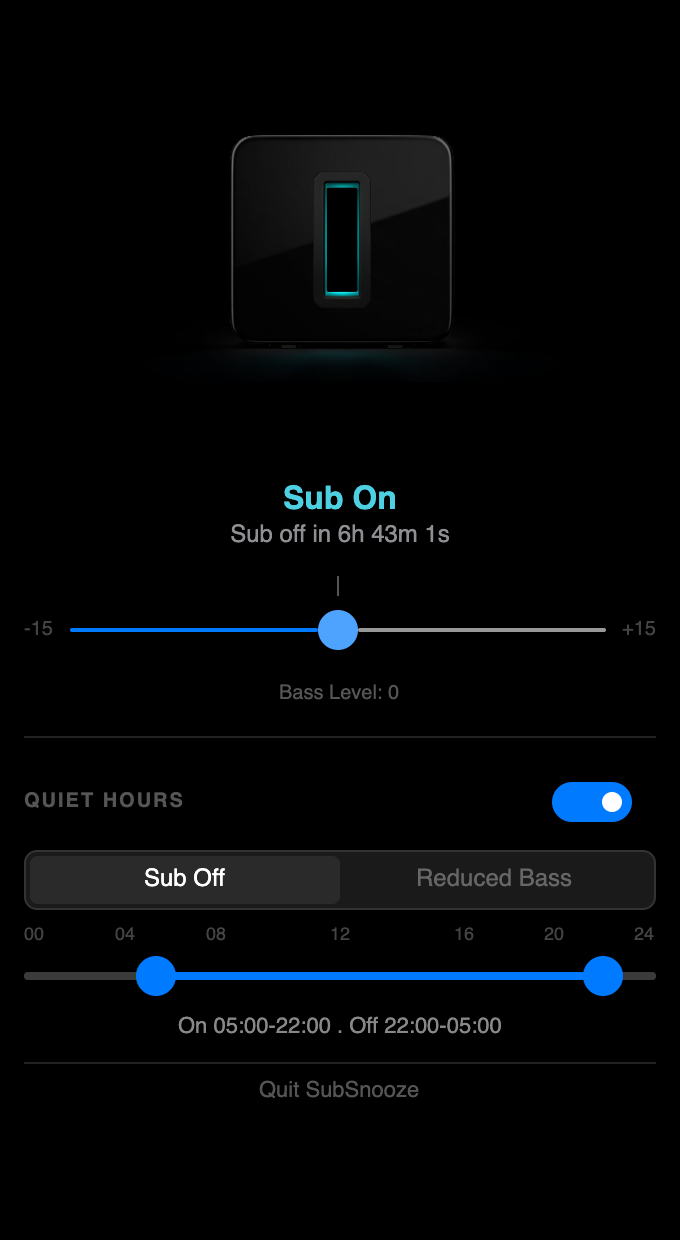
A look inside
The problem this fixes
There are plenty of reasons to dial the sub down at night — neighbours through the wall, a partner who sleeps light, kids in the next room, a baby just put down. So you turn it off. Then you forget. A week later you realise every film has sounded thin and lifeless because the sub has been off the whole time.
Sonos doesn't offer scheduling for the sub. The official app lets you mute or unmute it, but there is no way to say 'off at 22:00, on at 09:00'. So either you remember every single night, or you accept the bass loss.
SubSnooze is the missing scheduler.
What it does
Everything you'd want for the bass-control problem, and nothing you wouldn't.
Quiet-hours scheduling
Set a start and end time. SubSnooze disables the sub at the start of quiet hours and re-enables it when they end — every night, automatically.
Full sub control
Toggle the sub on and off, change the level, enable Night Mode, and adjust EQ — all from a tray icon, no need to open the Sonos app.
Local-only, no cloud
SubSnooze talks directly to your Sonos speakers over your local Wi-Fi. No account, no internet, no telemetry. Your home stays your home.
Survives reboots
Schedules are persisted to a local database. Restart your computer or your phone, and the schedule keeps running. No 'oh no, did it actually disable last night' anxiety.
One-tap snooze
Need silence right now for a phone call or a sleeping baby? One tap and the sub goes off for a chosen duration, then turns itself back on.
Tray-first design
On Windows, macOS, and Linux it lives in the system tray / menu bar — out of the way until you need it. On iOS it's a small app with the same controls.
How it works
- 1
Install and connect
Open SubSnooze on the same Wi-Fi as your Sonos system. It discovers your speakers automatically — no setup, no codes, no cloud login.
- 2
Set your quiet hours
Pick a 'sub off' time and a 'sub on' time. That's the entire setup most people will ever do.
- 3
Forget about it
From then on, your sub turns off when the kids go to bed and turns back on for breakfast. You'll forget SubSnooze exists — and that's the point.
No tracking. No accounts. No data leaves your home.
SubSnooze has no analytics, no crash reporting, no advertising, and no third-party SDKs. It only talks to Sonos speakers on your local network. The only data it stores is your schedule — on your device.